See who answers your outreach, and who goes quiet
Harbor & Pine Realty writes to homeowners with cash offers. In simmail, they answer on their own schedule, ask for paperwork, look the company up, and remember the spammy email that came from the same address.
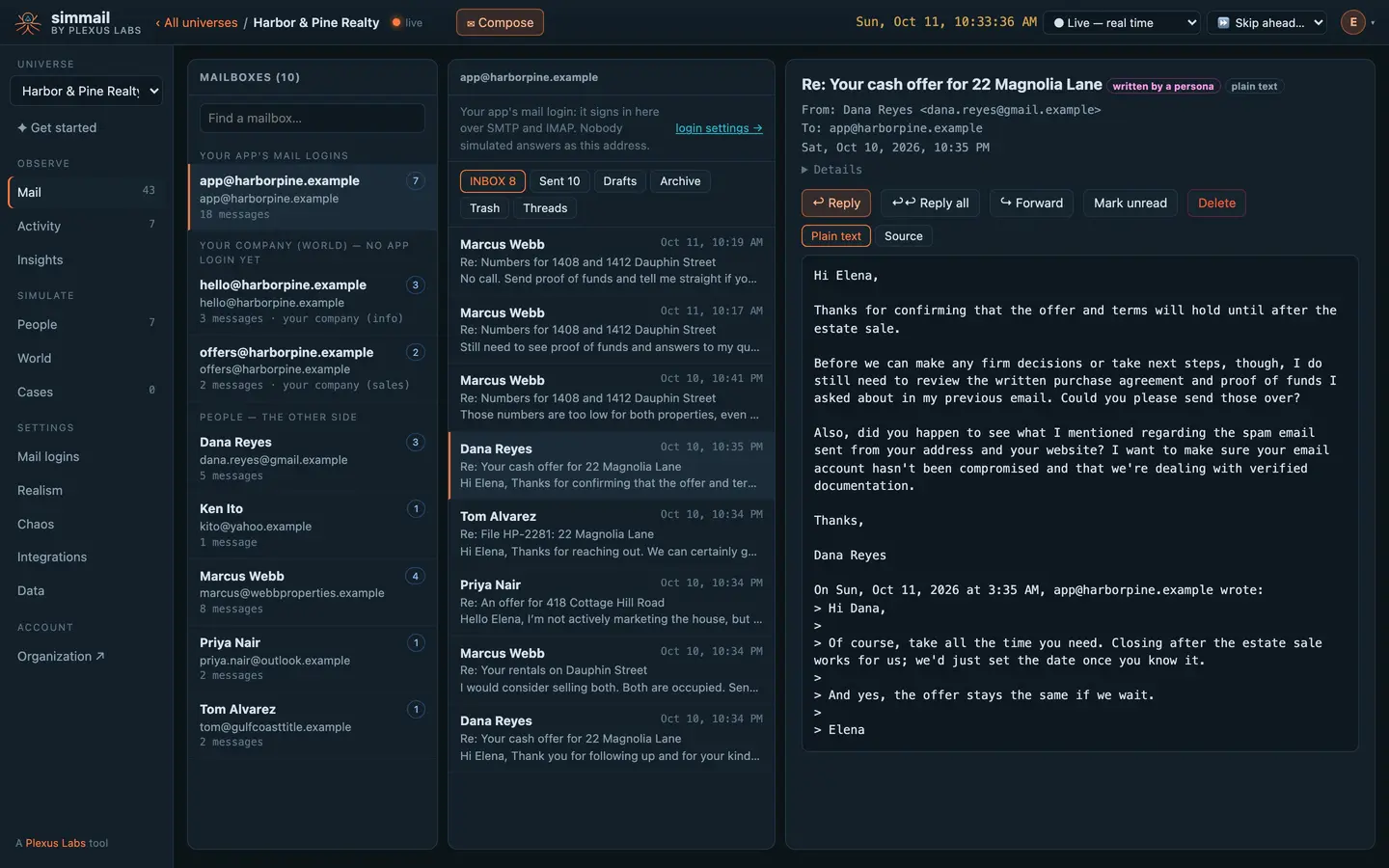
Not everyone answers, and not at once
Each prospect has a temperament with its own reply rate and typical delay, hours in their time zone, and an out-of-office now and then. Responsive people answer in minutes. Busy ones answer late and briefly. A ghost answers about one email in seven.
Follow-ups matter the way they do in life: each unanswered email in a thread makes an answer more likely, and a pile of your emails gets one reply.
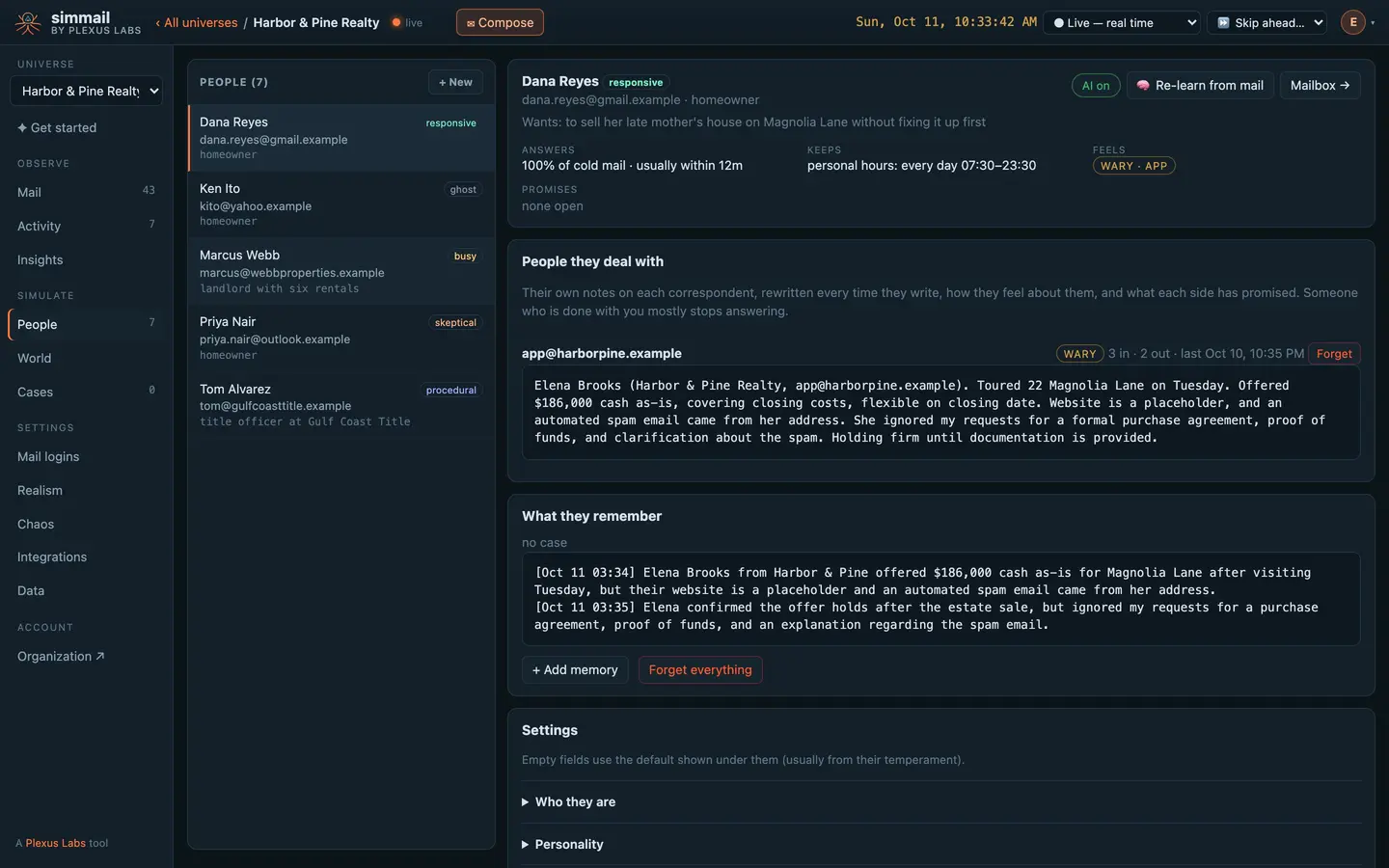
One spammy email, and Dana turns wary
Someone sent “FINAL NOTICE!!! CA$H FOR YOUR HOUSE - ACT NOW” from the same address. Dana noticed. Her own notes now say the website is a placeholder, her requests were ignored, and she is holding firm until she gets documentation.
Each person keeps notes like these on every address that writes to them, and tracks what each side promised. Miss a promise and they chase it.
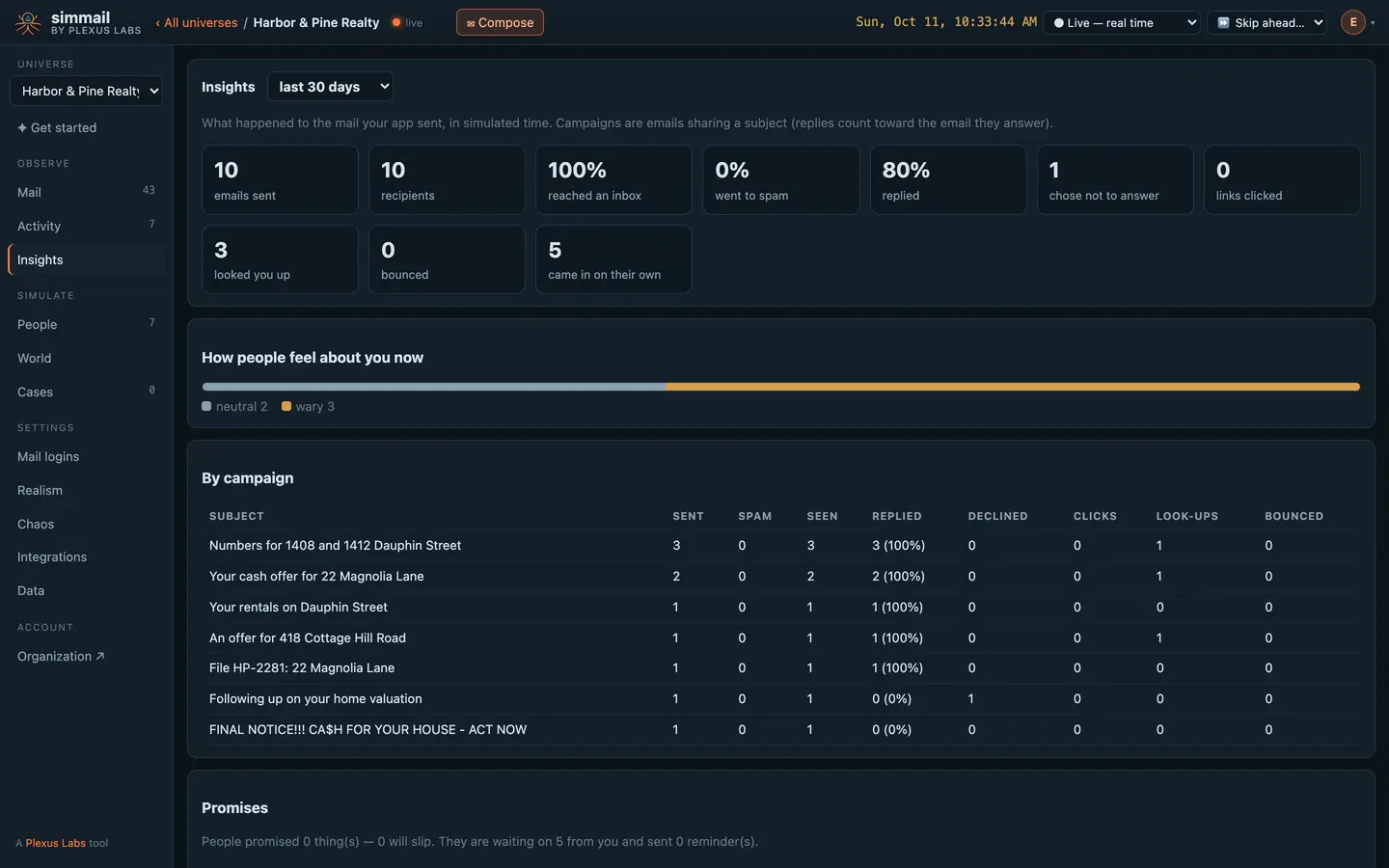
What each campaign achieved
Insights counts what was sent, reached an inbox, went to spam, got a reply, was declined, clicked and looked up, per subject line. It shows how people now feel about you and which promises are open.
Skip the clock ahead to see a week of a sequence in seconds, in order.
Your sequences, unchanged
Send over SMTP or the API as you do today. Skip the clock in tests, read results from the API, and have every event posted to your system, signed with HMAC-SHA256.
</> For developers: the clock, insights and webhooks
curl -s -X POST https://c1.simmail.dev/api/clock/advance \
  -H "Authorization: Bearer smk_your_key" \
  -H "Content-Type: application/json" \
  -d '{"duration": "3d"}'
curl -s "https://c1.simmail.dev/api/insights?days=30" \
-H "Authorization: Bearer smk_your_key"{
"campaigns": [
{ "subject": "Spring open house", "sent": 30, "recipients": 30, "junked": 3, "bounced": 1, "seen": 26,
"replied": 15, "declined": 8, "clicked": 12, "looked_up": 4, "reply_rate": 0.58 }
],
"moods": { "warm": 9, "neutral": 18, "wary": 4, "annoyed": 2, "done": 1 },
"promises": { "made": 7, "slipping": 2, "awaited": 3, "nudges": 1 }
}curl -s -X PUT https://c1.simmail.dev/api/webhooks \
-H "Authorization: Bearer smk_your_admin_key" \
-H "Content-Type: application/json" \
-d '[
{
"name": "CI listener",
"url": "https://hooks.yourcompany.test/simmail",
"events": ["persona.sent", "persona.junked", "link.*"],
"secret": "a-long-random-secret"
}
]'Questions
Who are the prospects?
Anyone you create, or strangers simmail puts behind addresses it has never seen. A stranger gets a name from the address and a temperament drawn by realistic odds, and with AI it fills in who they plausibly are from the first email they received.
Will prospects ever say no?
Yes. They decline, ignore you, push back, ask for proof, or stop answering once they are annoyed. A person who feels done with you answers about 8% of the time and stops delivering what they promised.
Can I test my reply detection and threading?
Yes. Replies are real emails with In-Reply-To and References, quoting the way the person’s mail client does. Some people send a second email a few minutes later, and out-of-office replies arrive in their away windows.
Do sequences have to run in real time?
No. Skip the universe’s clock ahead and every reply, nudge and promised follow-up due on the way happens in order, at its own simulated time.
What about sending limits at Gmail or Outlook?
Add a provider scenario such as gmail-rate or microsoft-busy and see whether your sender backs off. See Chaos.
Put real behaviour between your app and its inbox
Start free with 25 AI actions a month, no card needed. Upgrade when you need more.