Email that answers back
Point your app at simmail and write to people who behave like real ones: they read late, ignore you, click, junk you, bounce and reply. Nothing ever reaches a real inbox.
Capturing mail is only half the test
Most email bugs show up after the send: in the replies, the bounces, the slow answers and the people who never answer.
Nobody replies in a sandbox
Threading, reply parsing, follow-up timers and "waiting on customer" states only get tested when someone answers. In simmail, someone does, in their own words and on their own schedule.
Real inboxes are messy
Greylisting, rate limits, full mailboxes, junk folders and out-of-office replies. Switch them on when you want them, and see what your queue does.
You can't test on customers
simmail has no route to the outside world. Use real-looking addresses, real templates and real sequences without the risk of mailing anyone.
Watch your app's email come to life
A live view of every inbox, every person and every decision they make, with the controls to steer it.
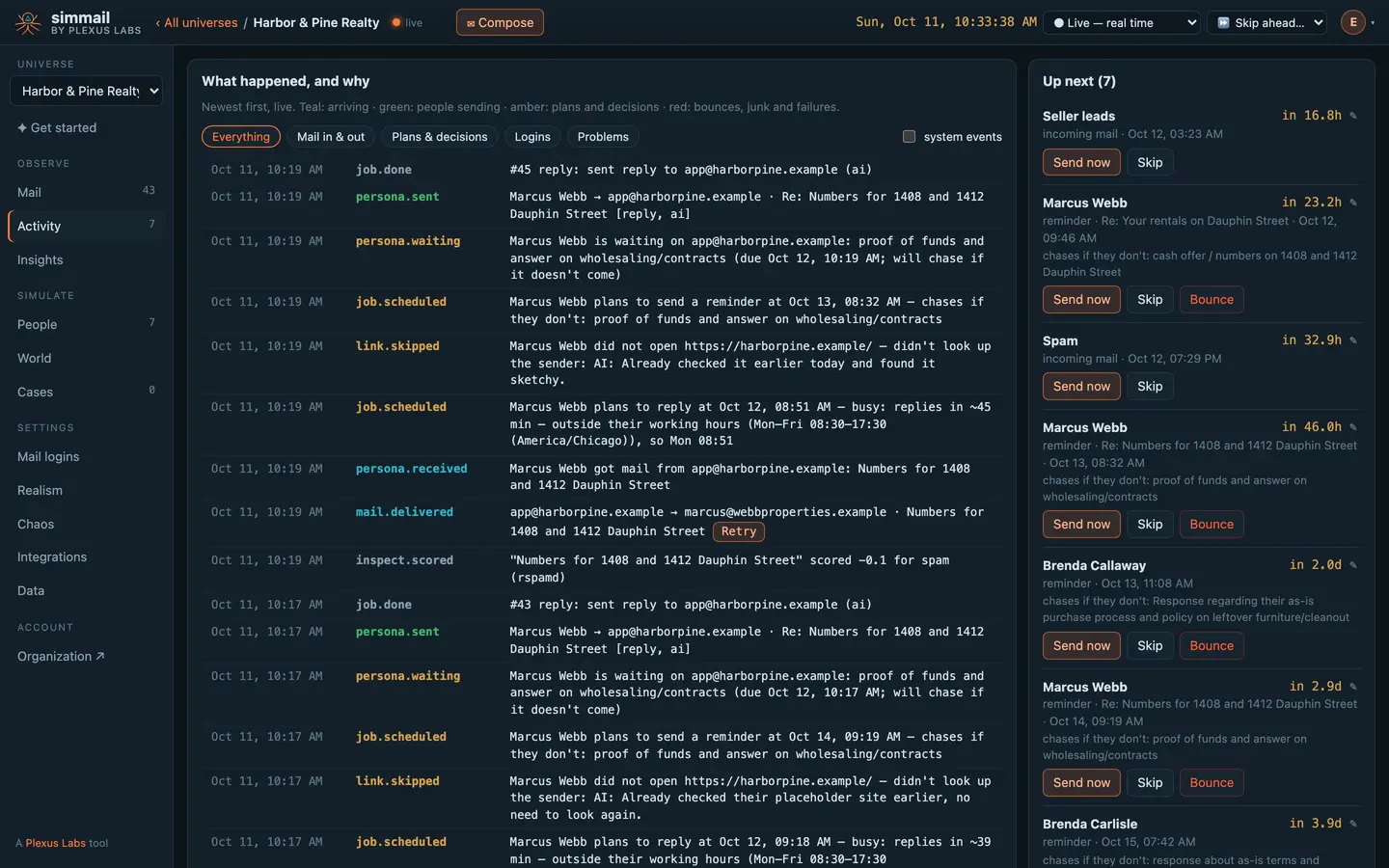
One email, start to finish, in real time: your app sends it, Marcus gets it, looks your company up, plans his reply for his working hours, and answers. Nothing here is staged.
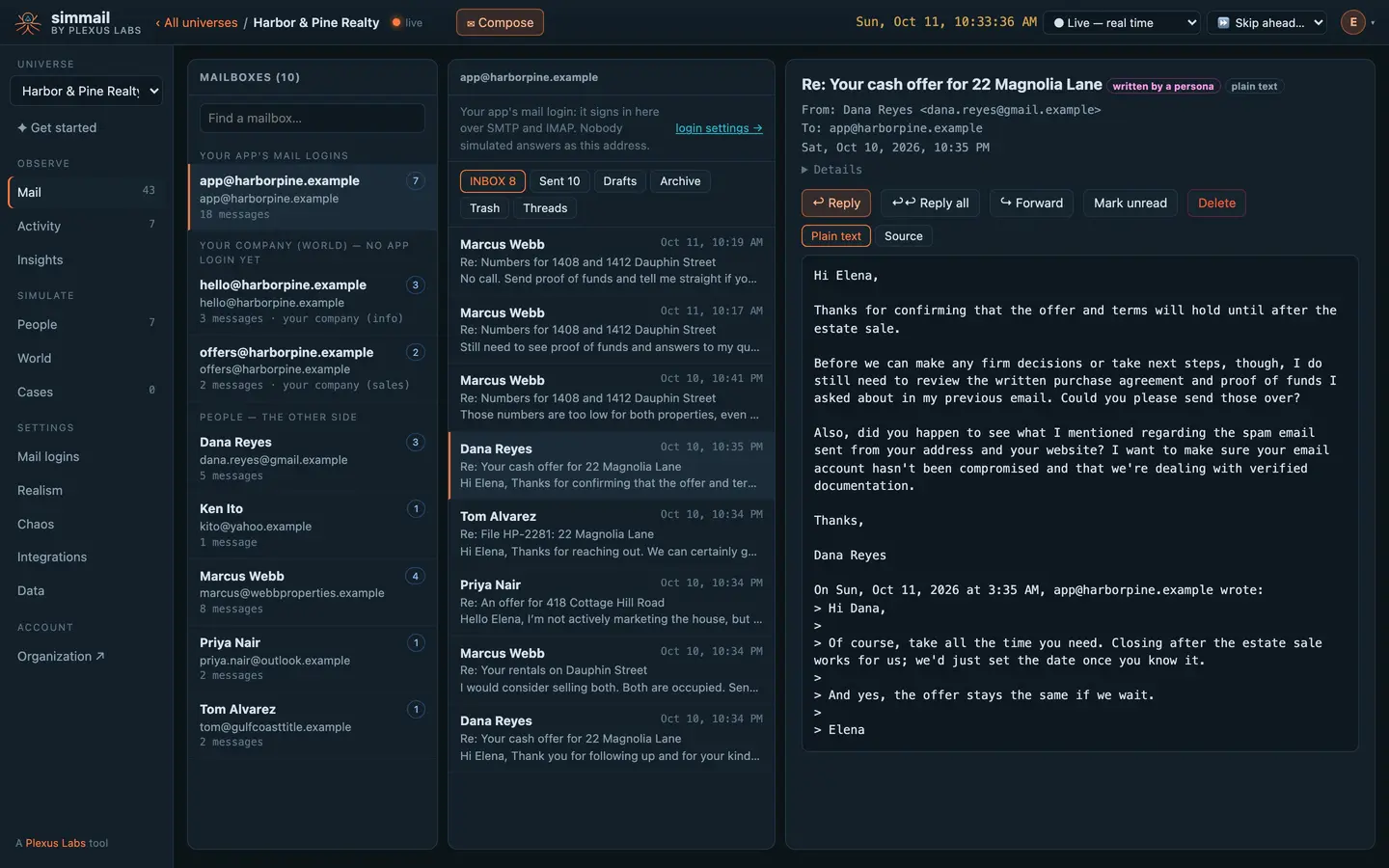
Every mailbox in the universe, yours and theirs. Read the replies, see who wrote them, and answer from the dashboard.
What happened and why, live: who got your email, who looked you up, when they plan to answer, and which faults are on.
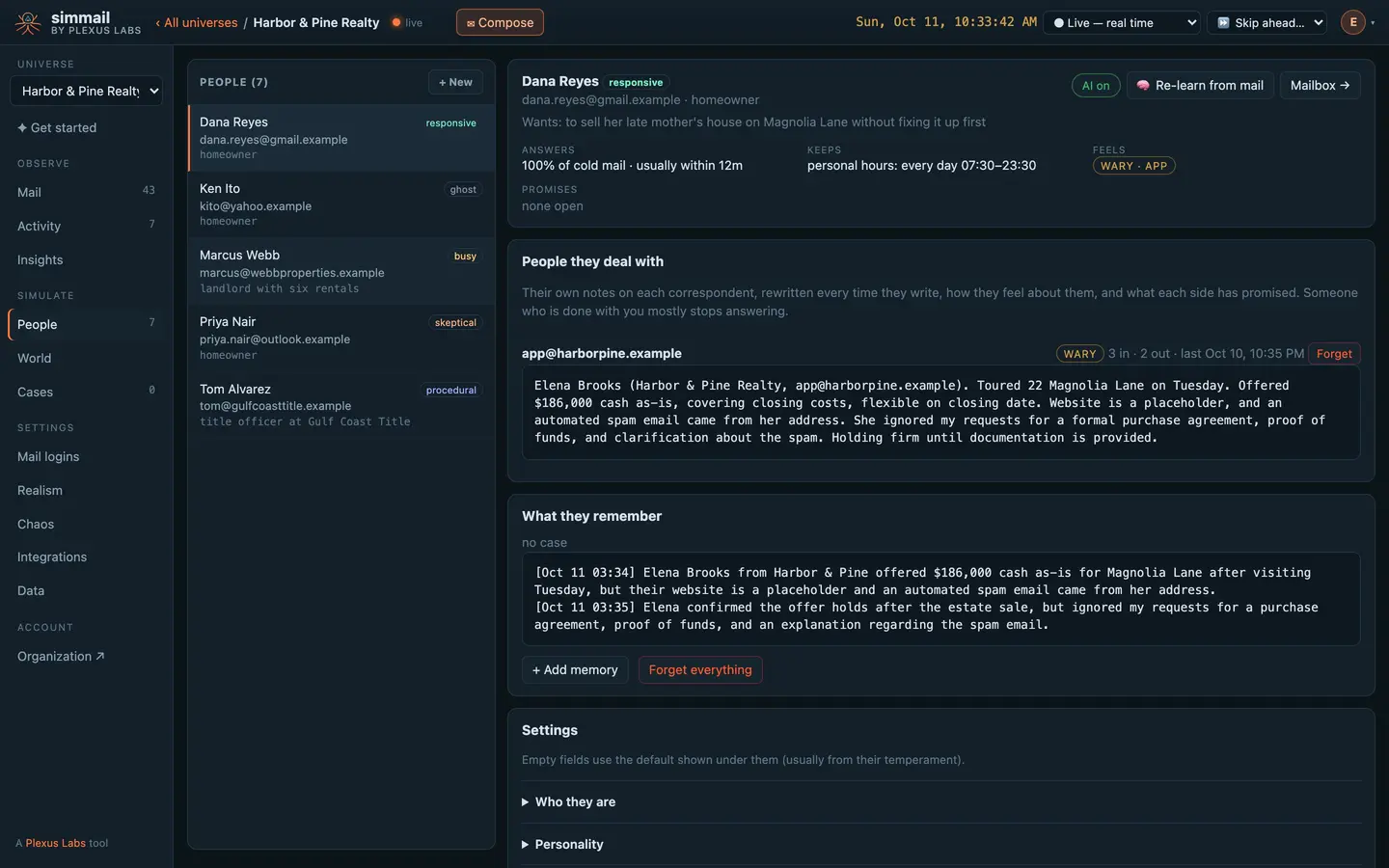
Each person has a temperament, hours, a life, and their own notes on you.
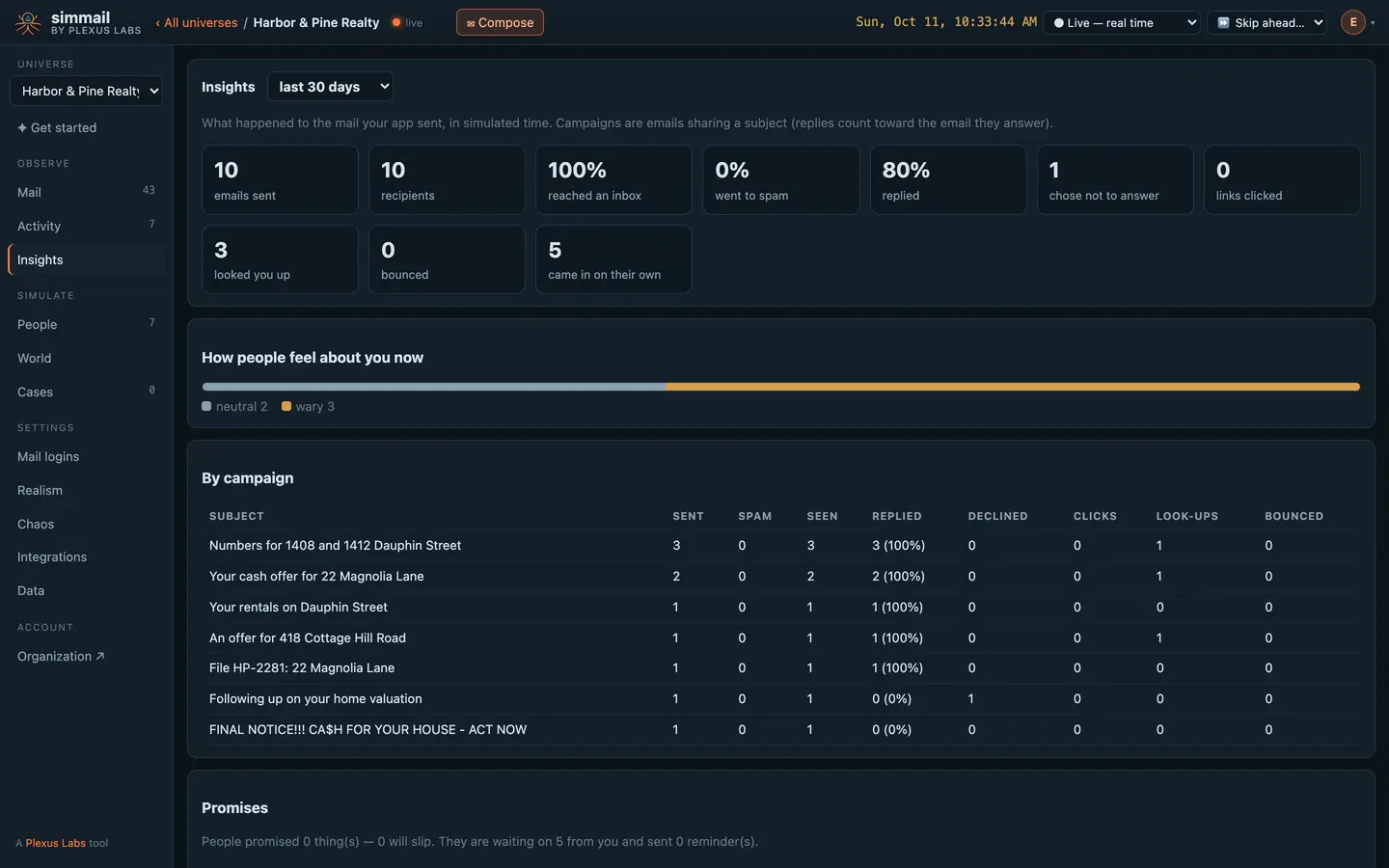
What your app’s email achieved: inbox rate, replies, people who chose not to answer, look-ups and bounces, by campaign.
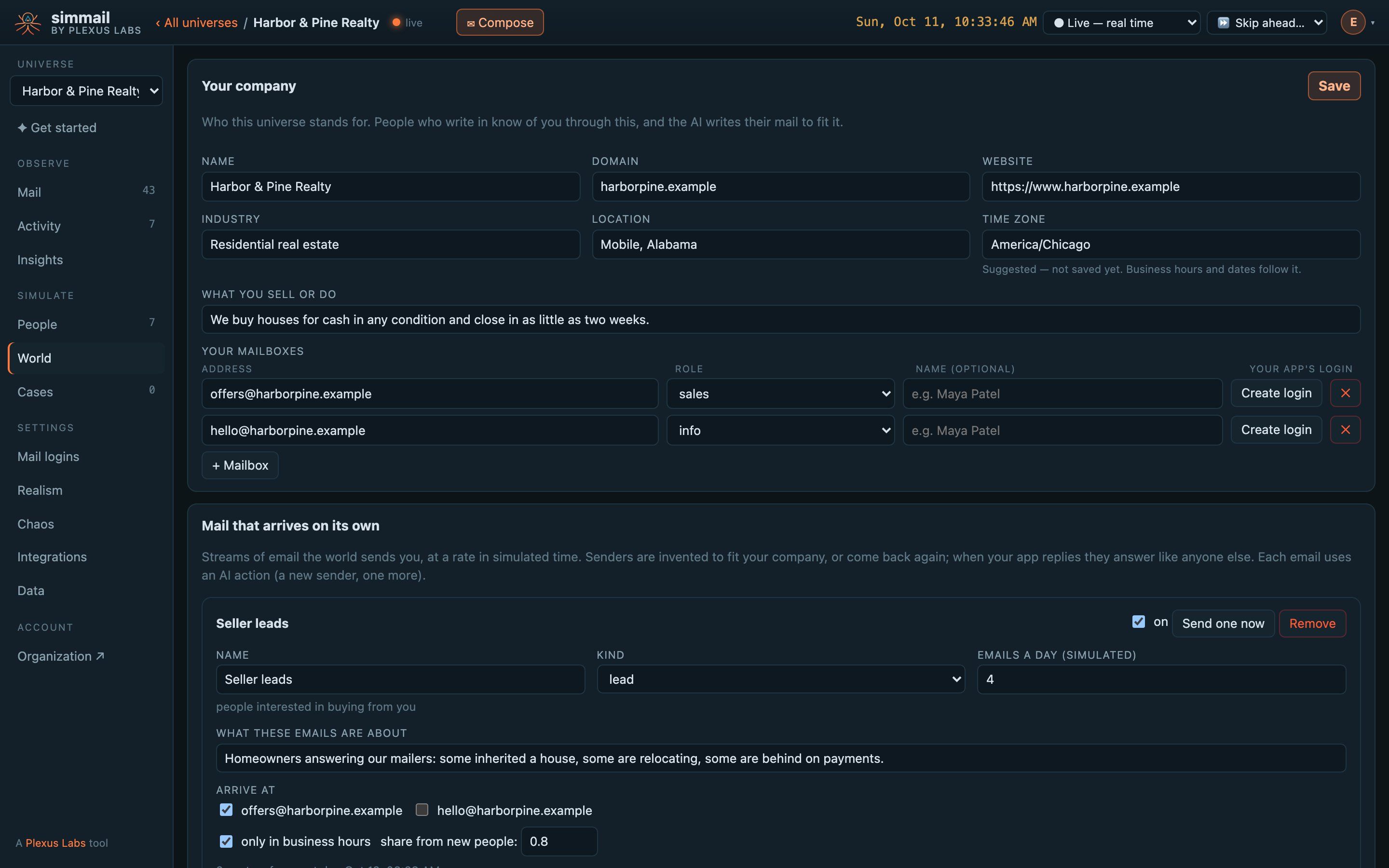
Describe your company once, and mail starts arriving on its own: leads, support requests, spam and phishing, at the pace you set.
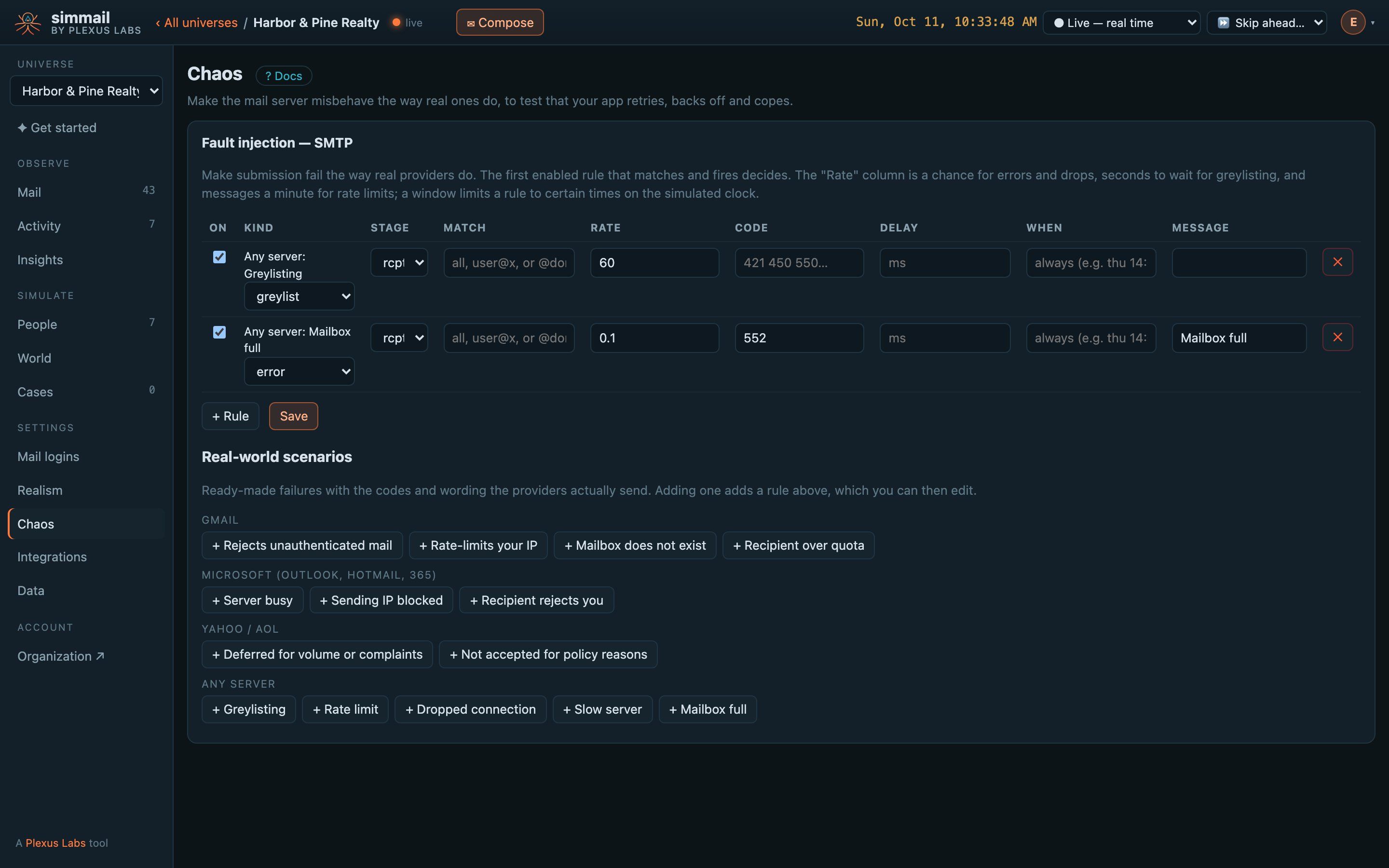
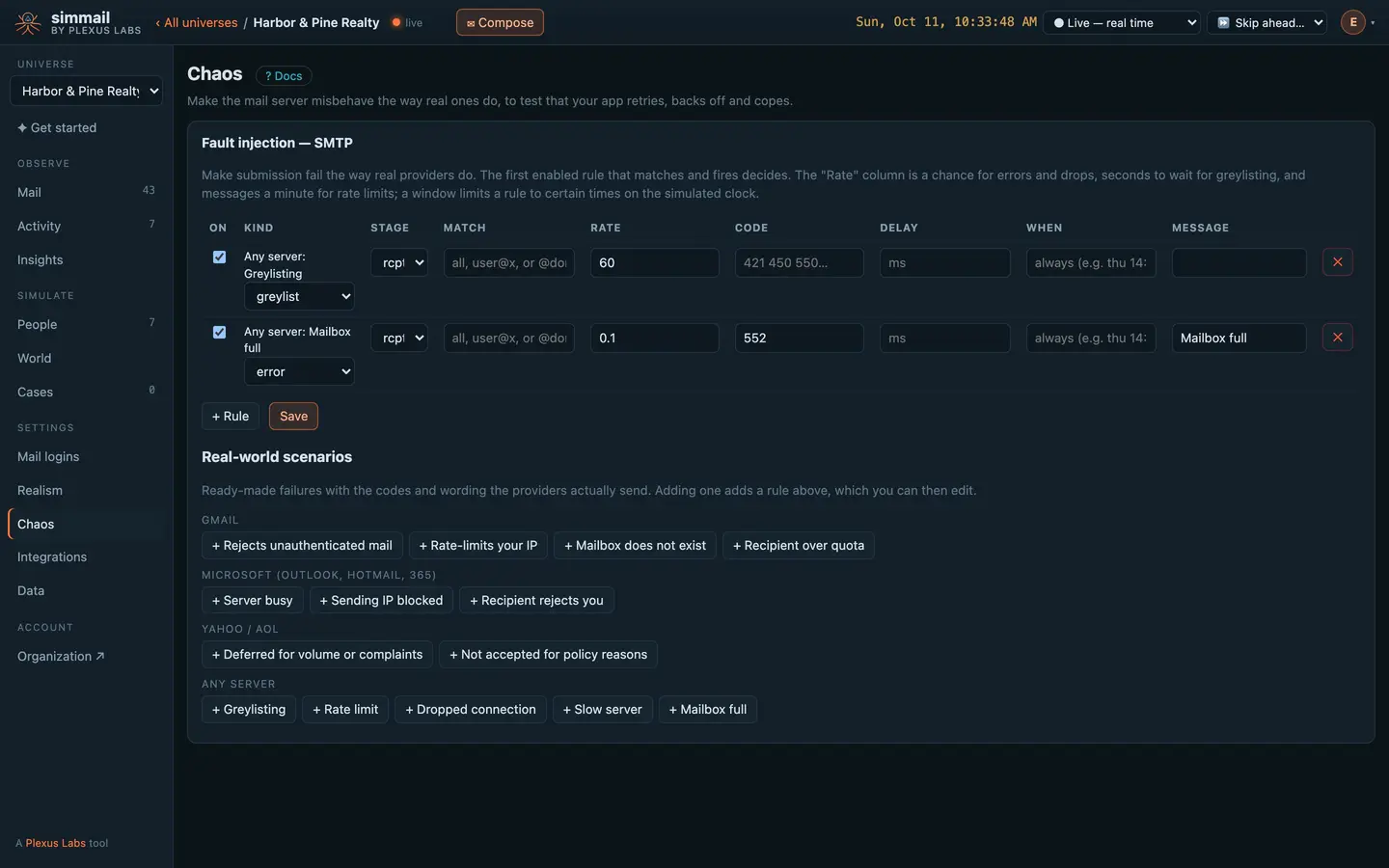
One click adds the failures real providers send, with their real codes and wording: Gmail rate limits, Microsoft blocks, greylisting.
Your kind of app, with people on the other end
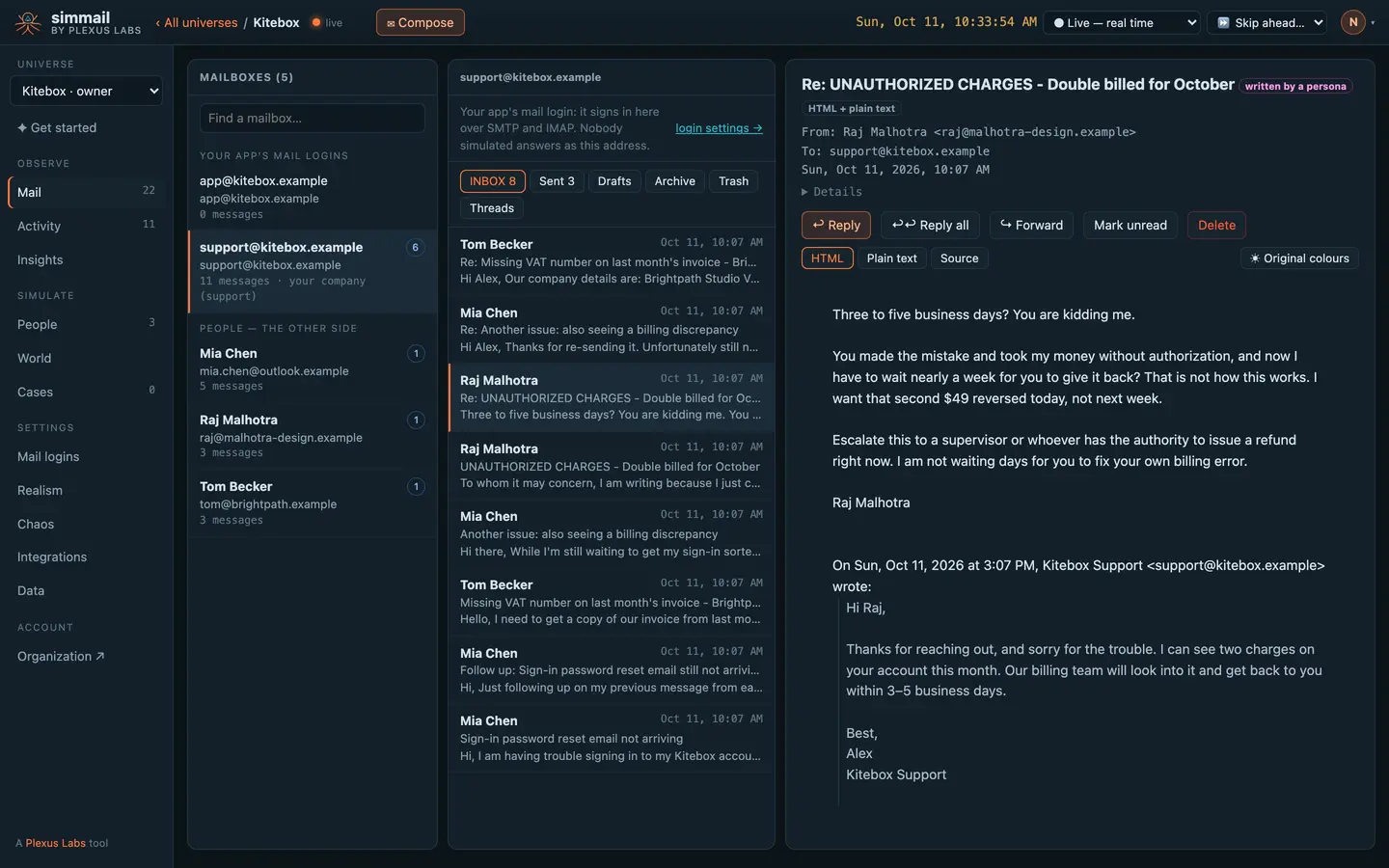
A help desk
See the story →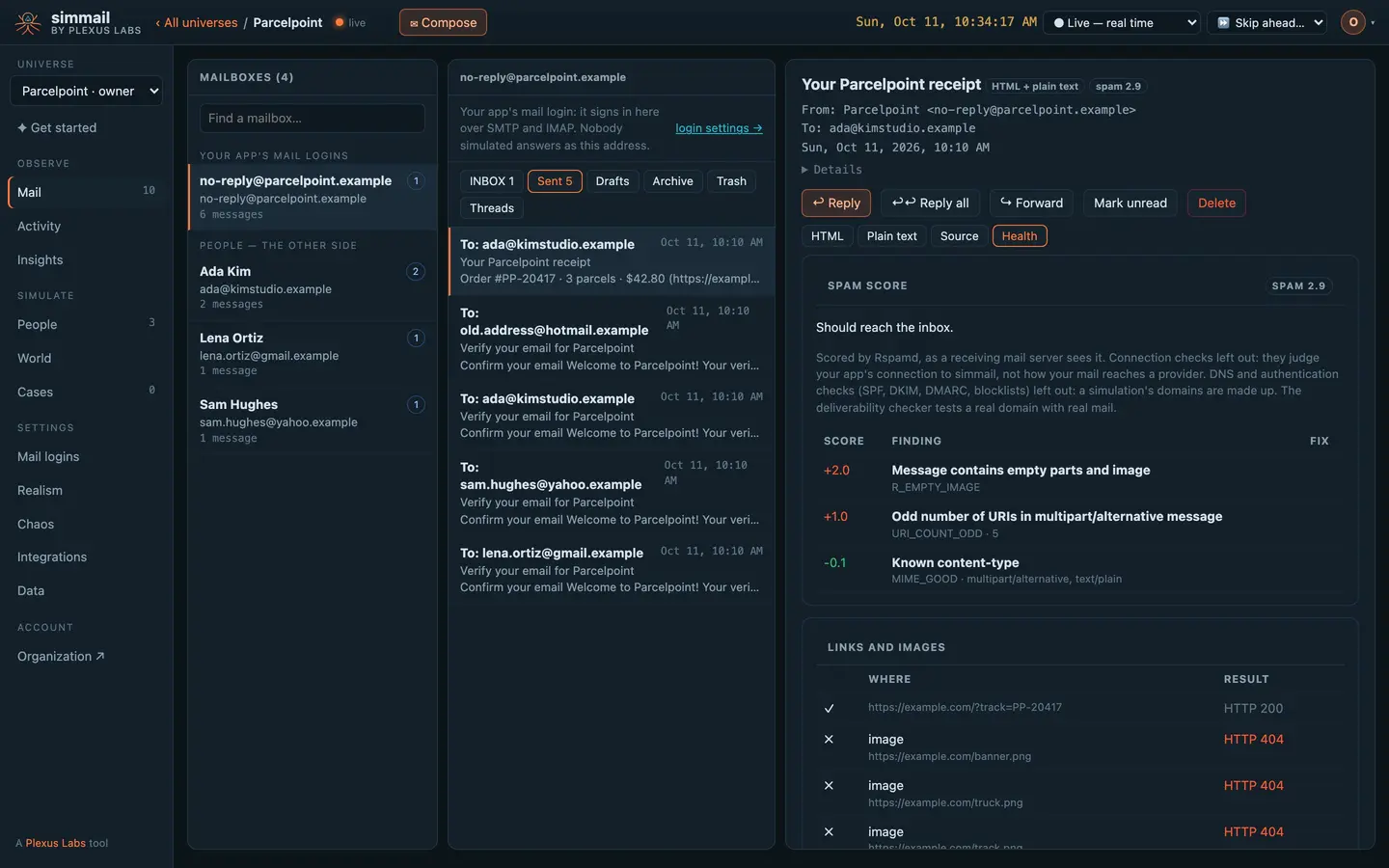
Sign-up and receipt email
See the story →Sales outreach
See the story →An AI email agent
See the story →See what the inbox will see
Every email your app sends gets a health report: a spam score with the rules behind it, every link and image checked, client compatibility and accessibility. People react to it, so mail that scores badly can land in their junk folder.
Break delivery on purpose
Turn on greylisting, rate limits, bounces and provider failures, for everyone or for one address. Find out whether your queue retries, backs off or quietly drops the email.
A world for your agent to email
Building an agent that reads and writes email? Connect it over MCP. It gets people to write to, replies to handle and a health report for every draft, and you read every conversation afterwards. Nothing it sends reaches a real person.
Five minutes from sign-up to the first reply
Use your app's normal SMTP and IMAP settings, or the HTTP API and webhooks. In tests, the JavaScript and Python SDKs wait for the reply instead of sleeping.
</> For developers: send, then wait for the reply
# Your app's normal SMTP settings, pointed at simmail
curl --ssl-reqd --url smtp://c1.simmail.dev:2525 \
  --user '[email protected]:your-password' \
  --mail-from [email protected] \
  --mail-rcpt [email protected] \
  --upload-file hello.eml
curl -s -X POST "$SIMMAIL_URL/api/send" \
-H "Authorization: Bearer $SIMMAIL_API_KEY" \
-H "Content-Type: application/json" \
-d '{"from": "[email protected]", "to": ["[email protected]"],
"subject": "Your house on Clark Street", "text": "Hi Dana, ..."}'# In a test: block until Dana answers (fast=true: her due reply, now)
curl -s -G "$SIMMAIL_URL/api/wait/reply" \
-H "Authorization: Bearer $SIMMAIL_API_KEY" \
--data-urlencode "[email protected]" \
--data-urlencode "fast=true" --data-urlencode "timeout=60s"Everything between your app and its inbox
Dashboard
A live view of every inbox, person and decision, with the controls to steer it.
Learn more →Lifelike behaviour
People who read, ignore, click, look you up, remember, promise and reply.
Learn more →Inspect
Spam score, links, client compatibility and accessibility on every email.
Learn more →Chaos
Greylisting, rate limits, bounces and provider failures on demand.
Learn more →Testing & CI
Wait for mail and replies in tests; SDKs; a clock you can skip ahead.
Learn more →AI agents (MCP)
Give your agent a world of people to email, over MCP.
Learn more →World
Mail that arrives on its own: leads, support, spam and phishing.
Learn more →It can't email your real customers
- No outbound delivery — simmail never delivers mail outside its own universes
- Your universe, your data — kept for your plan's retention, then deleted
- One sign-in — for the site, your account and every dashboard
Questions
Can simmail send email to a real person?
No. simmail has no way to deliver mail outside its own universes. Every address your app writes to is played by a simulated person or lands in a simulated mailbox, so you can test against realistic recipients without any risk of reaching a customer.
How is this different from a mail catcher?
A mail catcher stores what your app sends. simmail does that too, and then the recipients act: they read late, ignore, click links, look up your company, junk you, bounce, reply, and remember the conversation next time. Your app gets the replies, bounces and faults back, the way it would in production.
Do I need to change my code?
No. Point your SMTP and IMAP settings at your universe, or use the HTTP API. The quickstart takes about five minutes.
Who writes the replies?
An AI model plays each person, within the rules you set: their temperament, working or personal hours, time zone, what they want, what they remember and what they promised. Without AI, people still reply from templates.
Can I use it in CI?
Yes. Wait endpoints block until mail or a reply arrives, a simulated clock lets you skip ahead days in a second, and there are JavaScript and Python SDKs. See Testing & CI. There is a free plan, no card needed.
Put real behaviour between your app and its inbox
Start free with 25 AI actions a month, no card needed. Upgrade when you need more.