Find out how your app copes when mail servers fail
Real providers greylist, rate-limit, bounce and drop connections. Switch the same failures on from the dashboard, and check that your app retries, backs off and records bounces before a real provider teaches you.
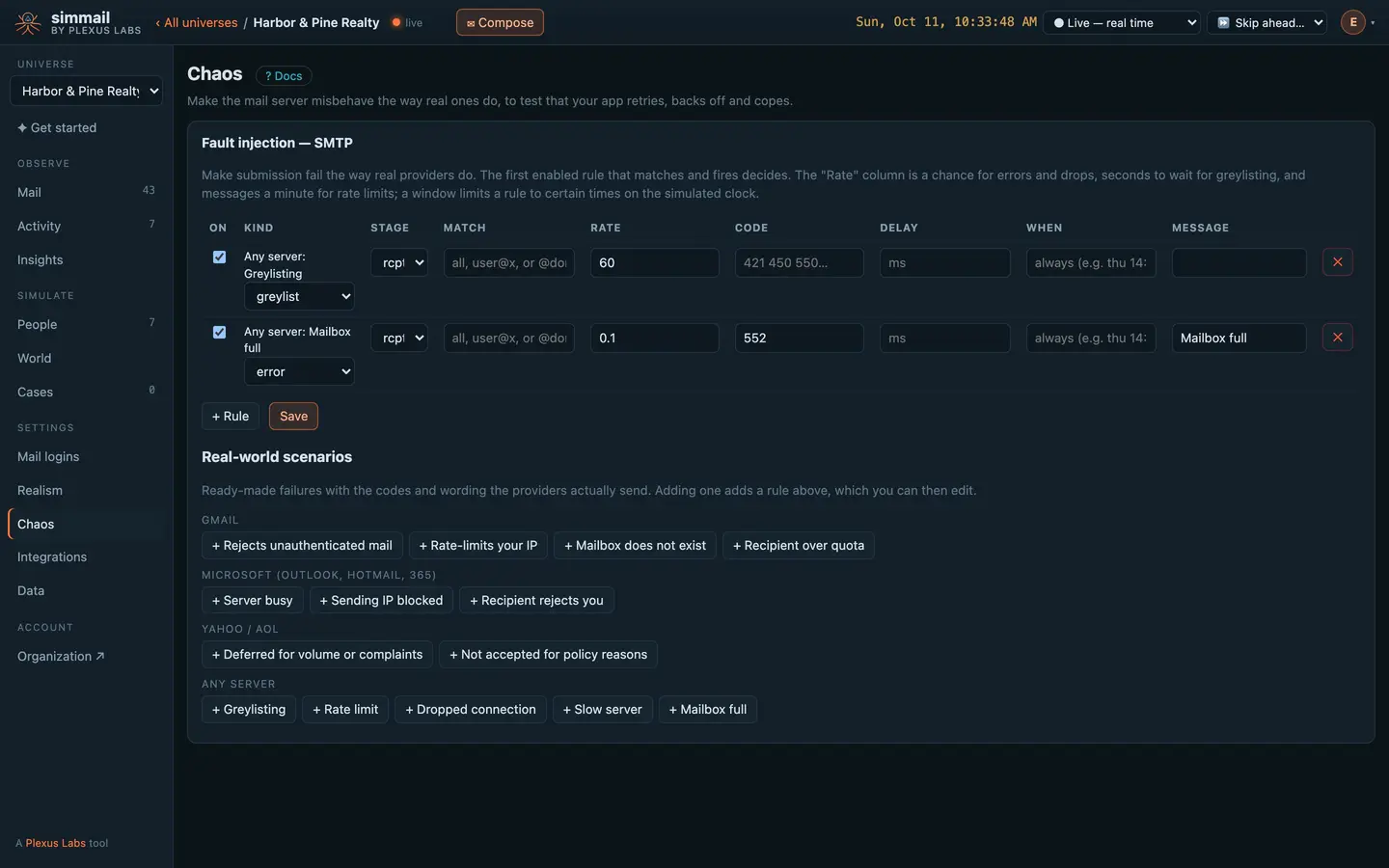
Say when to fail, and how
A rule picks a step of the SMTP conversation, the addresses it applies to (one address, a domain, or everyone), how often it fires, and the reply your app gets.
- Errors Any code and message, after a delay you choose.
- Greylisting The first attempt is deferred; a retry after the wait is accepted.
- Rate limits More than a set number of messages a minute is deferred.
- Dropped connections The server hangs up without answering.
See exactly what was switched on, and when
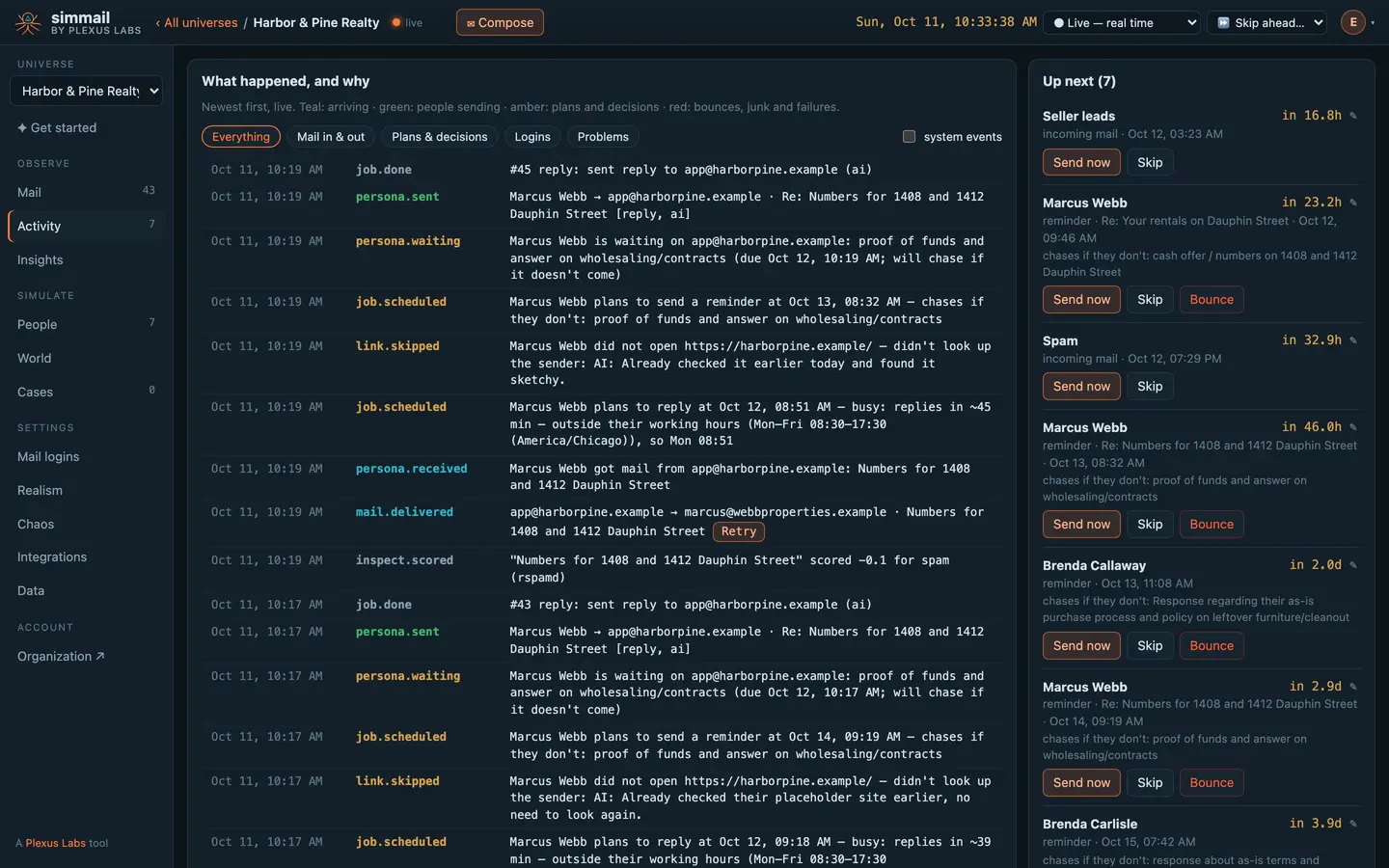
Each change to the rules is logged in Activity next to the mail it affected, so a failed test points straight at its cause.
Rules can keep a schedule on the simulated clock, such as Thursdays from 14:00 to 15:00 in London. Skip the clock ahead and the outage arrives on time.
Dead, full and blocking addresses
Recipient rules decide what is on the other side of an address: unknown, full, disabled, blocked, or a domain that does not exist. A share of never-seen addresses can be bad, and the same address is always the same.
Choose whether bad addresses are refused during the conversation or accepted and bounced a little later, as many providers do.
What your app sees
09:00:01 → RCPT TO:<[email protected]>
09:00:01 ← 451 4.7.1 Greylisted, please try again later
09:05:04 → RCPT TO:<[email protected]>   # retry
09:05:04 ← 250 2.1.5 OK
09:05:05 → DATA (msg 41 of 60 this minute)
09:05:05 ← 421 4.7.28 Our system has detected an unusual rate of mail
09:05:05   # does your queue back off — or drop the email?
</> For developers: the API for this
curl -s -X PUT https://c1.simmail.dev/api/faults \
  -H "Authorization: Bearer smk_your_admin_key" \
  -H "Content-Type: application/json" \
  -d '[
    { "name": "Harbor mailbox is full", "stage": "rcpt", "match": "[email protected]",
      "rate": 1, "code": 552, "enhanced": "5.2.2", "message": "Mailbox full", "enabled": true },
    { "name": "Flaky server", "stage": "data", "rate": 0.2, "code": 451,
      "message": "Temporary local problem, try again", "enabled": true }
  ]'
curl -s -X POST https://c1.simmail.dev/api/faults/scenarios/gmail-rate \
-H "Authorization: Bearer smk_your_admin_key" \
-H "Content-Type: application/json" \
-d '{"match": "@gmail.com"}'gmail-unauthenticated 550 5.7.26 at data for @gmail.com: unauthenticated sender
gmail-rate Rate limit of 10 a minute for @gmail.com, 421 4.7.28
gmail-no-user 10% of @gmail.com recipients do not exist, 550 5.1.1
gmail-over-quota 10% of @gmail.com recipients over quota, 452 4.2.2
microsoft-busy 30% of @outlook.com recipients deferred, 451 4.7.500
microsoft-blocked 550 5.7.1 blocklisted client host
microsoft-access-denied @outlook.com recipients refused, 550 5.4.1
yahoo-deferred Half of sessions deferred, 421 4.7.0 [TSS04]
yahoo-policy 554 5.7.9 at data for @yahoo.com
greylisting Retry accepted after 60 seconds
rate-limit More than 20 a minute deferred with 421
drop 20% of messages: the server hangs up during data
slow Every message takes 20 seconds to be accepted
mailbox-full 10% of recipients have a full mailbox, 552 5.2.2{ "days": "thu", "from": "14:00", "to": "15:00", "tz": "Europe/London" }{
"default": { "create": true, "bad_rate": 0.05, "stranger": "ai" },
"domains": {
"yourcompany.test": { "create": true, "stranger": "off" },
"closed.test": { "create": false }
},
"status": { "[email protected]": "disabled" },
"seed": ""
}Questions
Do faults apply to mail sent with the API?
No. Faults change the SMTP conversation, so they apply to mail your app sends over SMTP. POST /api/send is not affected.
How do I test a bounce that arrives after the mail was accepted?
Use the recipient rules instead of a fault. Mark an address full, unknown, disabled, blocked or domain, or make a share of never-seen addresses dead. By default simmail accepts the mail and sends the bounce notice a little later, as many providers do.
Which rule wins when several match?
The first enabled rule that matches, is in its window and fires. Greylisting and rate rules that let a message through hand over to the next rule, so order your rules from most to least specific.
How do I switch chaos off?
Untick the rules in the dashboard, or PUT /api/faults with [] to clear them all.
Which plans include it?
Simple refusals and delays are in every plan. Greylisting, rate limits, dropped connections, windows and scenarios need the chaos profiles feature; without it the API answers 402. See Plans and limits.
Put real behaviour between your app and its inbox
Start free with 25 AI actions a month, no card needed. Upgrade when you need more.